
Customization VT1125
Customer Additional Fields
Description of Need:
ACME needs to capture and report additional information about its customers.
Description of Solution:
The Consulting Toolkit Virtual Triggers and Virtual Fields modules will be used to add the following functionality to GP. All fields and triggers described below will be delivered as import files that can be imported into ACME’s database and will be ready to use.
Customer Maintenance
| Field | Function |
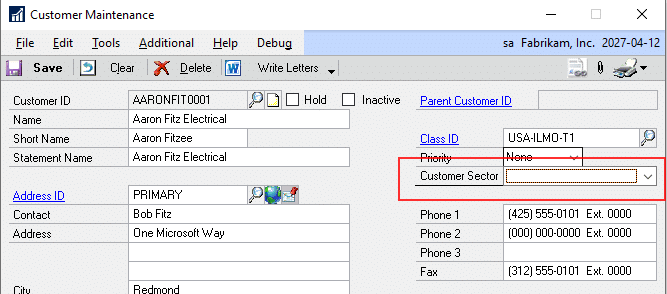
| Customer Sector | Virtual Fields will allow this field to be either a drop down or a free entry string field. Drop down values are entered in the Virtual Field Setup Window |
The customer sector value will be saved to the database and a View will be created so that the virtual field can be accessible by any reporting enhancement that can access SQL data, such as Smartlist or WilloWare’s GP Report Extender.
Customer Address Maintenance
| Field | Function |
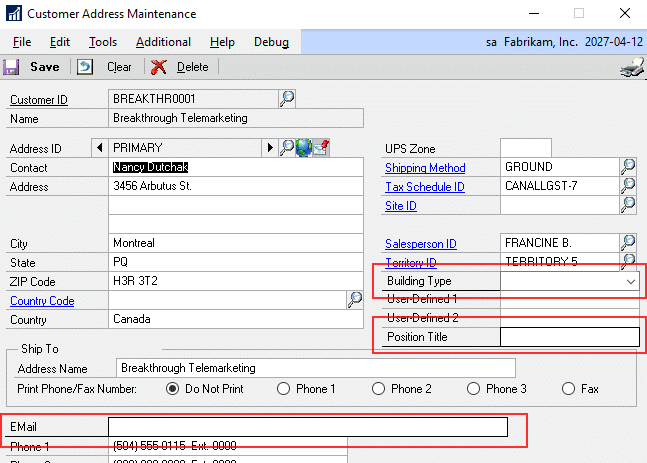
| Position Title | This virtual field will be a free entry string field. |
| This virtual field will be a free entry string field. | |
| Building Type | Virtual fields will allow this field to be either a drop down or a free entry string field. Drip down values are entered in the Virtual Field Setup Window. |
To access this information from Sales Transaction Entry, users will click the Ship To Address hyperlink to open the Customer Address Maintenance window and view the new fields. These fields will also be saved to the database and View will be created so that the virtual field can be accessible by any reporting enhancement that can access SQL data, such as Smartlist or WilloWare’s GP Report Extender.
Sales Transaction Entry
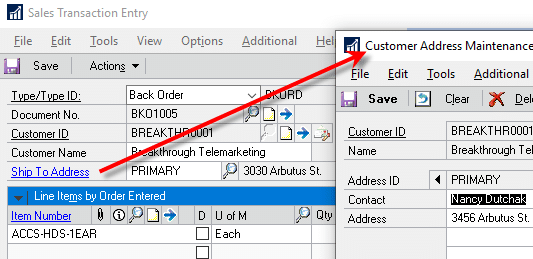
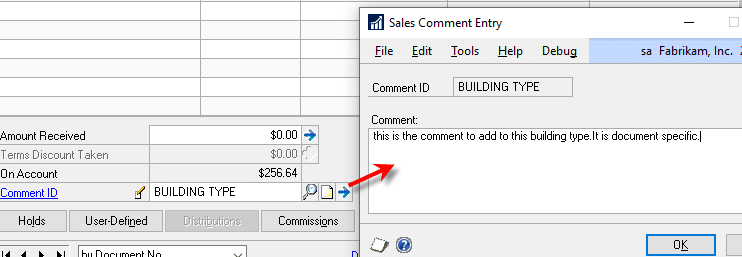
The installed Building Type and associated Space Type note can be added to sales documents by using the existing Comment ID with no customization required. There is no cost associated with this field and is only a suggestion as to how to solve the requirement.
Item Maintenance
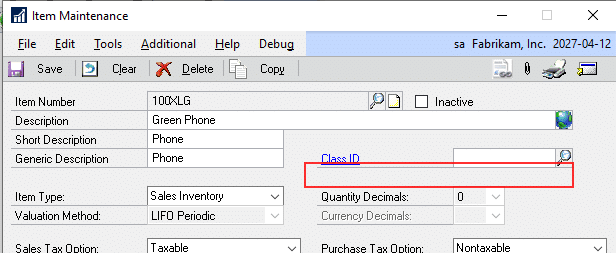
| Field | Function |
| Product Classification | Virtual fields will allow this field to be either a drop down or a free entry string field. Drop down values are entered in the Virtual Field Setup Window. |
The Product Classification value will be saved to the database and a View will be created so that the virtual field can be accessible by any reporting enhancement that can access SQL data, such as Smartlist or WilloWare’s GP Report Extender.
Assumptions/Requirements:
Requires the separate purchase of WilloWare’s Consulting Toolkit Virtual Triggers ($1200) AND Virtual Fields ($1200) modules.
For information on this design, or any other WilloWare customization or product, please contact us:
WilloWare is now developing products and customizations for BC D365. Please contact us to discuss your needs.